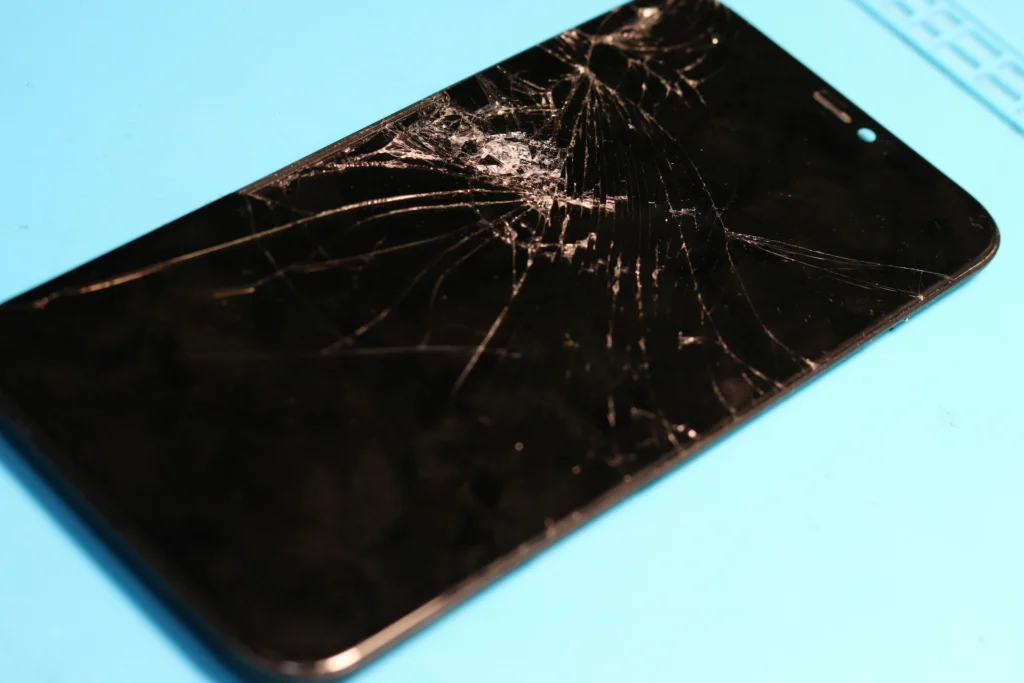
START HERE · GLASS, PANEL, OR BOTH
- Cracked glass, clean picture, touch works everywhere. Cheapest version of this repair.
- Black blotches, coloured lines or a spreading patch. The panel underneath has gone too.
- Touch that works in some places and not others. Digitiser damage, and it usually gets worse.
- Backlight on, no picture at all. Could be the panel, could be the connector. Needs a look.
⚠ Stop using it if the glass is shedding. Back the phone up now, while the screen still shows you something.
Is It the Glass or the Panel Underneath?
On every iPhone made in the last decade the glass, the touch layer and the display are laminated into one assembly, which is why “just the glass” is almost never a separate job. What changes is how much of that assembly stopped working.
A phone that took a corner drop and shows a spider crack but a perfectly clean picture is the best case. The parts are the same either way, but the phone is intact underneath and the job is predictable. A phone showing ink blotches or bars of colour has had the panel itself damaged, and those spread. If you are looking at spreading blotches, the useful thing to know is that waiting does not make it cheaper.
The one that catches people out is dead touch. A screen can look almost fine and still have a digitiser that has lost a strip down one side. If you are typing and certain letters will not register, that is not iOS.
What a Screen Repair Costs
Nobody can quote an iPhone screen off the model alone, and any shop that gives you a firm number before seeing the phone is estimating. Four things move it.
- The model. A recent Pro with an OLED panel is a different part from a phone three generations back.
- Whether the panel failed as well as the glass. Clean picture underneath is the cheaper outcome.
- Whether the frame took the impact too. A bent chassis stops this being a screen job.
- Whether the phone has been opened before. Previous work, especially cheap kit work, adds time.
What you should get from any shop, including us, is a quote after diagnostics and before anything is opened, plus a straight answer on what grade of part is going in. Diagnosis on a phone that will not power on costs nothing here.
You can start a quote online before you come in, or read what an iPhone repair covers.

Skip the DIY with Computer Cave!
How Long You Are Without It
COMMON MODELS
Same day
LESS COMMON MODELS
Ordered in
EVERY REPAIR
1-year warranty
The honest variable is stock, not labour. The screen swap itself is not a long job. What decides your afternoon is whether the part for your model is on the shelf, and that is worth asking on the phone before you drive over.
Face ID, True Tone and the Parts Question
This is the part of a screen repair that deserves a straight explanation rather than a shrug.
On recent iPhones, the display assembly is paired to the phone at the factory. Fit a screen that is not paired and iOS puts a notice in Settings, True Tone can stop working, and on some models the Face ID hardware behind the display stops working entirely. The settings notice is a message and nothing more. The Face ID part is a genuine fault and it is the reason the technique matters more than the part.
⚠ THE MISTAKE WE SEE MOST
Fitting a cheap kit panel at home on a Face ID phone. The dot projector is married to the original assembly, and once it has been disturbed the job stops being a screen swap and becomes board work. We see two or three of these a month and they always cost more than the original repair would have.
Ask before the phone is opened. We will tell you which grade of part is going in and what it does to Face ID and True Tone on your model, and if you want the longer version we wrote it up: OEM and aftermarket iPhone parts.
Will a Screen Repair Wipe My Photos?
No. Swapping a display does not touch storage, and in a normal screen repair nothing is read, copied or removed from the phone.
Back it up anyway. Any repair carries a small risk, a backup costs you nothing, and the phone that arrives with a screen too broken to unlock is the one where a backup made two days earlier saves the day. If your screen is already too damaged to use, say so when you drop it off rather than after.
What to Do Before You Bring It In
✓ DO
- Back the phone up today, not on the way over.
- Put a strip of clear tape over the crack so the glass stops shedding.
- Know your passcode. We need the phone to unlock for the fit test.
- Bring the case and the screen protector, but leave them off until after the test.
✕ DON'T
- Keep pressing hard on a dead patch to make it respond.
- Fit a kit panel yourself on a Face ID phone.
- Leave it a fortnight if the display is showing spreading ink.
- Turn off Find My before you arrive. Leave it on until the repair is done.

Your old device is worth cash - get paid same day!
Instant quote · +10% as trade-in credit · In store or by mail
Where to Find Us in Charlottesville
Our Charlottesville store is 1931b Arlington Blvd, and hours are on the Charlottesville service area page. Walk in, or start the quote first and bring the reference with you.
We see a lot of UVA students, particularly in the first weeks of term and again around exams, and the pattern is the same every year: a phone goes down at the worst possible moment and a day lost to a drive to Richmond is a day nobody has.
If the phone is doing more than one thing wrong, the wider Charlottesville student device repair guide covers laptops and consoles too. And if the screen is fine and the battery is the actual complaint, that is a different and cheaper job: iPhone battery replacement in Charlottesville.