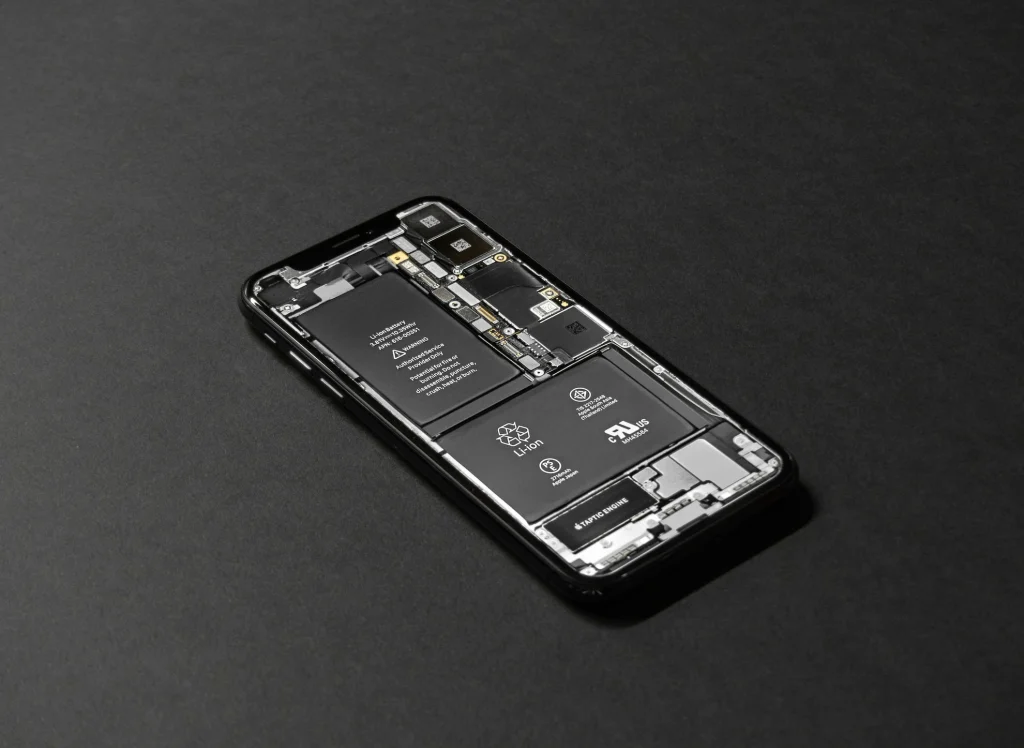
If you searched “iPhone battery replacement Charlottesville,” you probably have one of these problems: your phone dies early, it shuts off at random, or it feels slower than it used to. The good news is that most battery issues are fixable—and a quality battery replacement often makes an older iPhone feel new again.
This guide explains the most common battery‑failure signs, what drives battery replacement cost, what “same‑day” typically means, and exactly what to do before you bring your phone in.
Quick Answer (for Charlottesville iPhone Battery Repairs)
- Many iPhone battery replacements are completed the same day; some are done in about an hour depending on model and parts availability.
- Cost varies mostly by iPhone model and whether there are additional issues (water exposure, charging problems, swelling).
- Computer Cave backs repairs with a 1‑year limited warranty—review details on the Warranty page.
Ready to get an instant quote? Start a Repair or visit the Charlottesville battery repair page for local details: iPhone Battery Repairs in Charlottesville, VA.
Why iPhone Batteries Get Worse Over Time
iPhone batteries are rechargeable lithium‑ion batteries. Over time, the chemistry inside the battery ages, so it holds less charge and can’t deliver power as consistently—especially during cold weather or heavy apps. This is normal wear, but the symptoms can be frustrating once the battery gets far enough along.
Apple explains how aging affects capacity and performance here: iPhone battery and performance.
7 Signs You Likely Need a Battery Replacement
- Battery drains much faster than it used to (even with light use).
- Your iPhone shuts off unexpectedly, especially below ~20–30%.
- Performance feels slower or “laggy” during normal tasks.
- Charging is inconsistent (stalls, jumps in percentage, or takes unusually long).
- The phone gets hotter than usual during basic use or charging.
- You see a battery “Service” message in Settings.
- The battery is swollen (screen lifting, wobbling, or visible bulge)—this needs immediate attention.
How to check your iPhone battery health
On iPhone 14 or earlier: Settings → Battery → Battery Health & Charging.
On iPhone 15 or later: Settings → Battery → Battery Health (you may also see cycle count details).
What Affects iPhone Battery Replacement Cost in Charlottesville?
For most common models, battery replacement is a same‑day repair. Exact timing depends on model, parts in stock, and how busy the shop is. Starting your ticket online can reduce check‑in time and help the team confirm parts before you arrive.
Start here: Start a Repair (instant quote).
Walk‑ins are welcome, but if you’re on a tight schedule, starting online is the best way to keep it fast.
The Most Common Cost Drivers
- Model differences (battery type, adhesive system, and labor complexity).
- Additional repair needs (charging port issues, water damage, back glass damage, frame bends).
- Parts quality and warranty coverage (what’s covered and what’s excluded).
- Diagnostics time (if the issue is actually a charging port, cable, or software behavior).
If you’re comparing parts quality, this Computer Cave post is helpful: Phone repair shops that use genuine parts: why OEM matters.
How long does an iPhone battery replacement take?
Battery replacement pricing is usually straightforward, but a few factors can move the price up or down. Instead of guessing, the fastest route is to start a repair online for an instant quote—then you’ll know exactly what you’re looking at before you walk in.
If Your Battery Health Looks “fine” but You Still Have Fast Drain
Sometimes the battery isn’t the whole story. Background apps, poor signal, iOS updates, and charging habits can create “fast drain” symptoms. A quick diagnostic can help confirm whether replacement is the right fix—or whether a settings tune‑up will solve it.
Quick Things to Try
- Update iOS and restart your iPhone (small bugs can cause background drain).
- Check Battery settings for the top draining apps and uninstall/reconfigure the worst offenders.
- Turn on Optimized Battery Charging and avoid leaving the phone at 100% for long periods.
- If you’re charging in the cold, warm the phone gradually first (cold can throttle charging).
Apple’s charging and maintenance tips: Charge and maintain your iPhone battery.
And if charging is inconsistent, this guide can help: The Ultimate Guide to Maintaining, Cleaning, and Fixing Your Phone’s Charging Port.
Why Charlottesville Customers Choose Computer Cave
A battery replacement should be simple: quality parts, careful installation, honest expectations, and a warranty that’s clear. Computer Cave emphasizes same‑day repairs, transparent “start a repair” quoting, and a 1‑year limited warranty on repairs.
Warranty details: Computer Cave Repair Limited Warranty.
If you’re weighing whether to fix or upgrade, this post is a good companion: Phone repair vs. replacement: which option saves more money?
Local iPhone services: iPhone Repair in Charlottesville, VA.
Before You Come In: 10-Minute Checklist
- Back up your iPhone (iCloud or computer). If your phone is unstable, do this first.
- Make sure you know your Apple ID password and can unlock the device.
- Bring your charging cable so symptoms can be confirmed at check‑in.
- Tell the tech if you’ve had liquid exposure—water damage can change what’s recommended.
If you need help protecting files before a repair, Computer Cave also offers: Data Backup & Recovery.
FAQs for iPhone Battery Replacement in Charlottesville
Do I Need An Appointment?
Walk-ins are common, but starting your repair online can speed up check‑in and parts matching.
Will I lose my data?
A battery replacement does not normally affect storage. Still, we recommend backing up first—especially if your phone is shutting off unexpectedly.
How do I know it’s the battery and not the charger?
If battery health is normal but charging is inconsistent, the issue may be the cable, adapter, debris, or the charging port. A quick diagnostic can confirm.
Can cold weather make my battery feel worse?
Yes. Cold can temporarily reduce battery performance and trigger shutdowns. If the problem disappears when warm, your battery may be aging but not fully failed.
Is a swollen battery dangerous?
Swelling should be treated as urgent. Stop using the device and bring it in as soon as possible—swelling can damage the screen or internal components.
Do you offer discounts?
Computer Cave lists discounts (including student and military) on its Discounts page—check eligibility before you visit.
Discounts link: Computer Cave Discounts