A computer running slow is rarely a computer that is finished. Most of the slow laptops and desktops that come over our counters in Richmond, Fredericksburg and Charlottesville have one main bottleneck, and fixing it gives them years. The usual suspects are an old hard drive, too little memory, or a machine slowing itself down because it is running hot. Each of those is a smaller job than replacing the whole computer.
Below are the causes in the order we find them, the fixes that make the biggest difference, and an honest test for when an upgrade really is the better buy. The quick check underneath will point you at the likely cause in about a minute.
START HERE · WHEN DOES IT FEEL SLOW?
- Slow from the moment you press power. Usually the drive. See the SSD upgrade below.
- Slow once a few browser tabs are open. Usually memory. See the RAM upgrade below.
- Fine at first, then slow and loud after a while. Usually heat. See the thermal service below.
- Slow plus freezing, clicking or disk warnings. A failing drive. Back up your files today.
⚠ If it freezes, clicks or warns you about the disk, copy your important files off before you try anything else on this page.
Why Is Your Computer Running Slow? The Usual Causes
Here is what we usually find when a slow machine comes in, roughly in the order we find it. Most computers have one main cause, although an older laptop can easily have two at once.
- An old spinning hard drive. This is the most common cause by a distance. Modern software expects the speed of a solid state drive, and a mechanical drive cannot keep up.
- Not enough memory. Browsers use far more than they used to, so a machine with 8GB of RAM can run short with a few tabs, a video call and a document open.
- Too much loading at startup. Updaters, chat apps and trial software start with the computer and keep running in the background.
- Heat. Dust builds up in the fans and vents, and the processor slows itself down to stay safe. Laptops used on beds and couches clog up fastest.
- A drive that is starting to fail. Slowness that arrives with freezing, clicking or error messages is a warning sign rather than an annoyance.
- Malware. It gets blamed more often than it deserves, but a full scan is still worth running to rule it out.
⚠ SLOW AND FREEZING MEANS BACK UP FIRST
A computer running slow and freezing at the same time can be a drive on its way out. Copy your files somewhere safe before you run cleanup tools or leave it on overnight, because every extra hour of use is more wear on a failing drive. If it has already stopped reading, our guide to data recovery in Richmond explains what happens next.
Quick Checks to Try at Home First
A few checks cost nothing and rule out the easy causes. They will not cure a tired hard drive, but they tell you a lot about where the problem sits.
- Restart it properly. A machine that has only slept for weeks builds up background clutter that a full restart clears.
- Install any waiting updates, then restart again.
- Turn off apps you do not need at startup, and uninstall the ones you never use.
- Free up storage space. A drive that is nearly full slows everything else down.
- Open Task Manager on Windows or Activity Monitor on a Mac and see what is using the memory and processor.
Microsoft walks through these steps in its guide to improving PC performance in Windows, and Apple covers the same ground for Macs in if your Mac runs slowly. If your computer is still running slow after all five, the cause is almost certainly hardware. Slowness also tends to arrive alongside other signs your computer needs repair, so that list is worth a quick look too.
How to Fix a Computer Running Slow
Once the cause is clear, the fix is usually one of three jobs. On a typical older machine, they are listed here in order of how much difference they make.
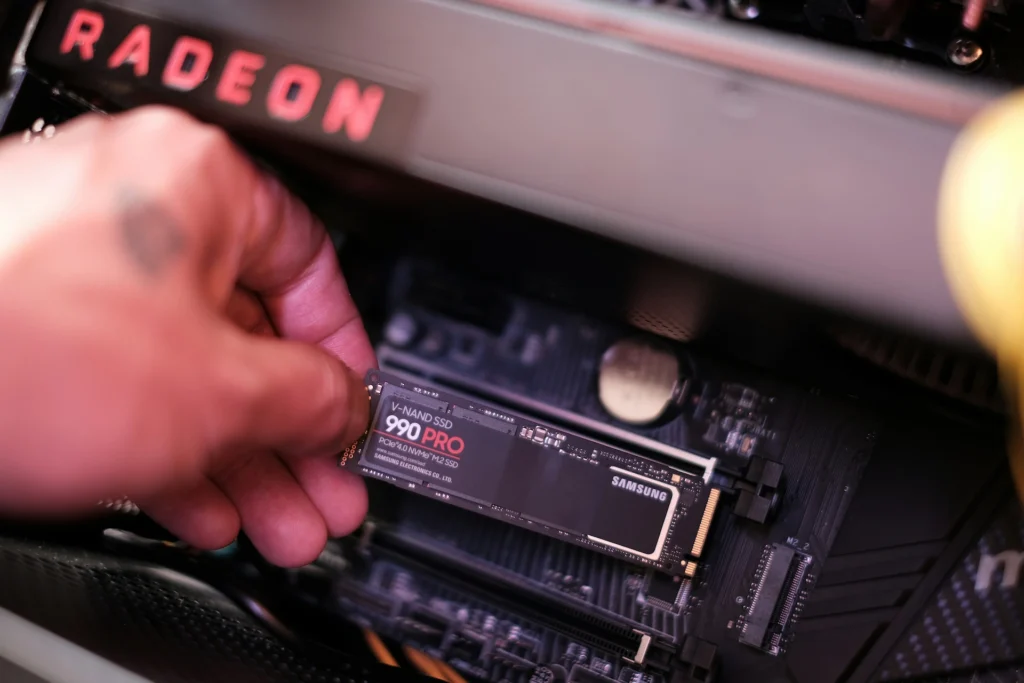
SSD Upgrade
Best for
Slow boots, slow app launches and a drive light that never stops flickering.
What you notice after
Startup and loading times drop sharply, and the whole machine feels newer.
Good to know
Your files and programs come across to the new drive, so you pick up where you left off.
When to skip it
When the computer already has a solid state drive. Then the cause is somewhere else.
RAM Upgrade
Best for
Slowdowns that start once several tabs or programs are open.
What you notice after
Switching between apps stops stalling, and video calls stop stuttering.
Good to know
We check what your machine already has and how it is being used before adding any.
When to skip it
When the memory is soldered to the board. Many thin laptops are built this way.
Tune-Up and Thermal Service
Best for
A machine that starts out fine and slows down as it warms up.
What you notice after
The fans quiet down and the speed holds steady under load.
Good to know
It includes a startup cleanup, fresh thermal paste and a health check on the drive.
When to skip it
When the machine is cool and quiet but slow from the moment it starts. That points back at the drive.
On most of the older machines we see, the SSD upgrade makes the single biggest difference. If your computer is not slow but dead, with no power or a black screen, that is a different problem, covered in what to do when a laptop will not turn on.

Skip the DIY with Computer Cave!
Repair or Upgrade? An Honest Test
Repair wins when the slowness traces back to the drive, the memory, the startup list or heat. Those are fixable bottlenecks, and fixing them usually buys a computer several more good years. An upgrade makes more sense when one of these is true:
- The processor is many generations behind what your software now expects.
- The memory and storage are soldered to the board and already at their limit.
- Your operating system no longer gets security updates on that hardware.
- Your work has outgrown it, for example a move into video editing or design.
If you land on the upgrade side, the old machine still has value. Put its trade-in value toward the new one instead of leaving it in a drawer. Mac owners will find the Apple version of this decision in our MacBook repair vs replacement guide.
Not sure which side you are on? That is exactly what a diagnosis answers. We look at the health of the drive, memory use, temperatures and the startup load, then tell you which fix will make a real difference and whether the machine is worth it. Nothing is done until you decide. Our computer repair page covers the full range of work we do.
Bringing a Slow Computer to Computer Cave
If your computer is still running slow after the checks above, bring it in with the charger. Tell us when the slowness started and what you were doing when you first noticed it. That timeline narrows the cause faster than any single test. Also say at drop-off whether the files matter, because on a failing drive the backup comes first.
We repair Windows laptops, desktops and Macs at all three stores: Richmond, Fredericksburg at Central Park, and Charlottesville near UVA. Repairs carry a 1-year limited warranty. If a slow laptop turns out to have a deeper fault on the board, our motherboard and board-level repair guide explains what can be fixed.

Your old device is worth cash - get paid same day!
Instant quote · +10% as trade-in credit · In store or by mail
Slow Computer FAQs
Will an SSD really make my old computer faster?
Yes, as long as it still has a spinning hard drive. No other single change speeds up an older machine as much. Startup, app launches and updates all get faster. If it already has a solid state drive, the slowness is coming from somewhere else.
How much RAM does a computer need?
For browsing, email and documents, 16GB is comfortable and 8GB is the least we would suggest today. If your machine has 8GB soldered to the board, count that toward the upgrade side of the test.
Why does my computer slow down after it has been on a while?
That pattern usually points to heat. Dust in the fans and vents makes the processor slow itself down to stay safe. A thermal service with clean fans and fresh thermal paste usually fixes it.
Is my computer running slow because of a virus?
Sometimes, but less often than people expect. Run a full scan with your security software. If it comes back clean and the slowness stays, the cause is almost always the drive, the memory or heat.
Is it worth fixing a five-year-old computer?
Often, yes. If the processor still handles what you do, an SSD or more memory can make it feel new again. When the processor is the bottleneck or the machine no longer gets updates, put the money toward a replacement and trade the old one in.