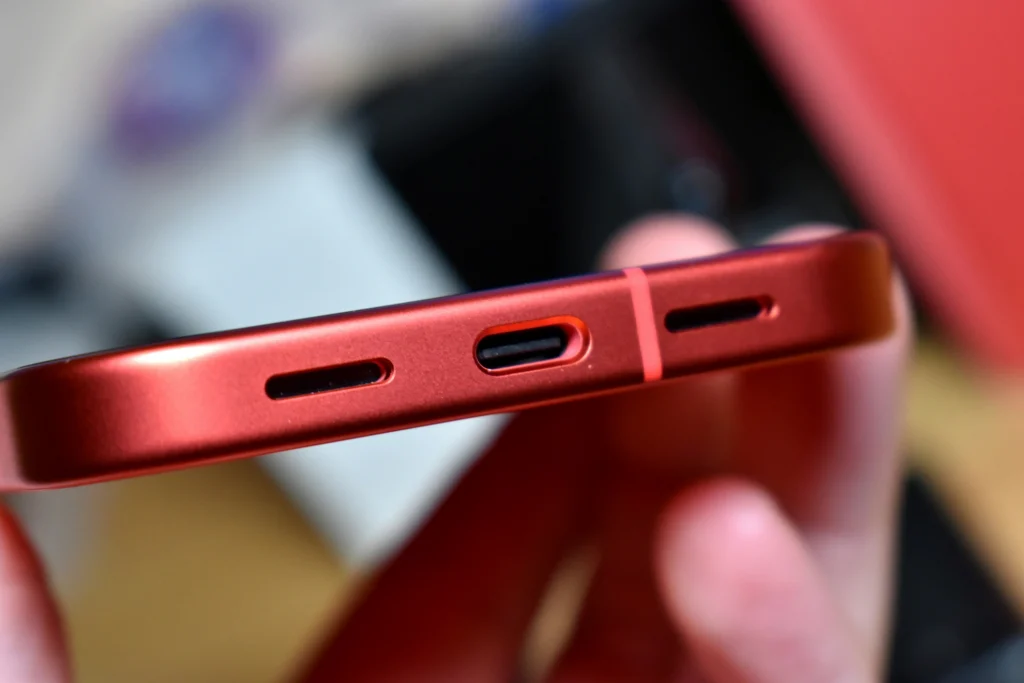
If your phone only charges at a weird angle, randomly disconnects, or refuses to charge at all, it’s easy to assume the charging port is “broken.” Sometimes it is — but more often, the culprit is something simpler: a worn cable, a weak wall adapter, or a small wad of pocket lint packed into the port.
In this guide, we’ll show you how to diagnose the problem quickly, clean the port safely (without damaging delicate pins), and recognize the signs that you actually need a charging port replacement. If you’re in Richmond, Charlottesville, or Fredericksburg, we’ll also explain what to expect from a same‑day repair at Computer Cave.
Quick Answer (Is it the Cable, the Charger, or the Port)
Before you touch the port, rule out the easy stuff. A surprising number of “charging port repairs” are solved by swapping a cable or wall adapter. Do these quick checks:
- Try a different cable (preferably a known‑good one).
- Try a different wall adapter — cheap adapters often under‑power fast charging.
- Try a different outlet (and avoid low‑power USB ports on old computers).
- Restart the phone and make sure the OS is updated.
- Check for a liquid‑detection alert (common on iPhones). If you see one, stop charging.
Want to get moving? Start with All Repairs to select your device and get an instant quote.
Safe Ways to Clean a Charging Port (and What to Avoid)
Charging ports are small, and the pins inside are easy to bend. The goal is to remove loose debris — not to scrape the metal contacts.
The Safest Approach (Quick + Gentle)
- Power the phone off.
- Use a flashlight to look into the port. If you see compacted lint, that’s likely your problem.
- Use a gentle non‑metal pick to lift lint out in small pieces. Don’t “dig” or pry.
- Wipe the outside of the port opening with a lint‑free cloth.
- Test charging with a known‑good cable and wall adapter.
Important: avoid liquid cleaners, metal pins/needles, and aggressive scraping. If you’re not comfortable, a quick professional cleaning is safer than a DIY mistake that bends pins.
What Apple Recommends When an iPhone Won’t Charge
Apple’s own troubleshooting guidance focuses on checking the cable/accessory and removing debris from the port — and if you see a moisture alert, letting the device dry before attempting to charge again.
If your iPhone or iPod touch won’t charge
When Cleaning Isn’t Enough: Signs You Need a Charging Port Replacement
- It only charges when the cable is held at a specific angle.
- The cable feels loose or falls out too easily.
- Charging constantly starts/stops even with multiple cables and adapters.
- You see corrosion (green/white residue) inside the port.
- The phone charges wirelessly, but never reliably over cable.
- Moisture alerts happen repeatedly even when the device is dry.
When these symptoms show up, a port replacement (or board-level repair in rare cases) is usually the lasting fix — especially if the port has worn contacts or internal damage.
iPhone vs Android: Lightning vs USB‑C, and Why Ports Fail
Most Android phones use USB‑C, while iPhones may be Lightning or USB‑C depending on the model. The most common causes of failure are the same across both:
- Compacted lint that prevents the cable from seating fully
- Wear on the port’s internal contacts from repeated plugging/unplugging
- Liquid exposure leading to corrosion
- Cable strain (yanking the phone while it’s charging) that loosens the port
- Bring your ID and any relevant accessories (case/screen protector) if you want them reinstalled after repair.
What to Expect From Charging Port Repair at Computer Cave
At Computer Cave, we start by confirming the problem (cable vs adapter vs port) before recommending replacement. We inspect the port under magnification to check the pins for corrosion and test pre-and post repair to ensure resolution. In many cases, a careful professional cleaning restores a solid connection. If the port is worn or damaged, we’ll recommend a replacement so you can charge reliably again. A clear explanation of all work is provided to prevent any repeat issues.
Helpful official troubleshooting links: Start a Repair • Clean Your Charging Port Guide • Warranty policy • Phone Repair vs. Replace