If your computer is crawling, freezing, or refusing to power on, you don’t need to guess your way through a dozen random “fixes.” Most computer issues fall into a few predictable buckets—and when you know which bucket you’re in, you can usually make a smart call fast: DIY, upgrade, or professional repair.
This March 2026 guide is built for people searching for computer repair in Fredericksburg—especially around Central Park. We’ll cover the most common issues we fix, what “same‑day” actually means, and a simple checklist so you show up prepared (and get your device back faster).
Quick Answer (Fredericksburg Computer Repair)
- Many performance issues (slow startup, freezing, storage upgrades, basic malware cleanup) are often handled the same day—depending on workload and parts.
- Turnaround is usually driven by the root cause (software vs hardware), part availability (SSD/RAM/power supply), and whether data recovery is needed.
- Computer Cave backs repairs with a 1‑year limited warranty—review details on the Warranty page.
Want to skip the guessing and get a quote? Start a Repair online, or visit the Computer Repair service page for what we fix: Computer Repair.
What Computer Cave Fixes for Fredericksburg Computer Repair
Whether you’re on Windows or Mac, the symptoms people describe are usually the same: slow performance, random shutdowns, boot issues, loud fans, or a computer that won’t turn on at all. Here are the repair categories we see most often:
- Performance tune‑ups (slow startup, freezing, storage full, background apps).
- Operating system / software issues (boot loops, update problems, corrupted files).
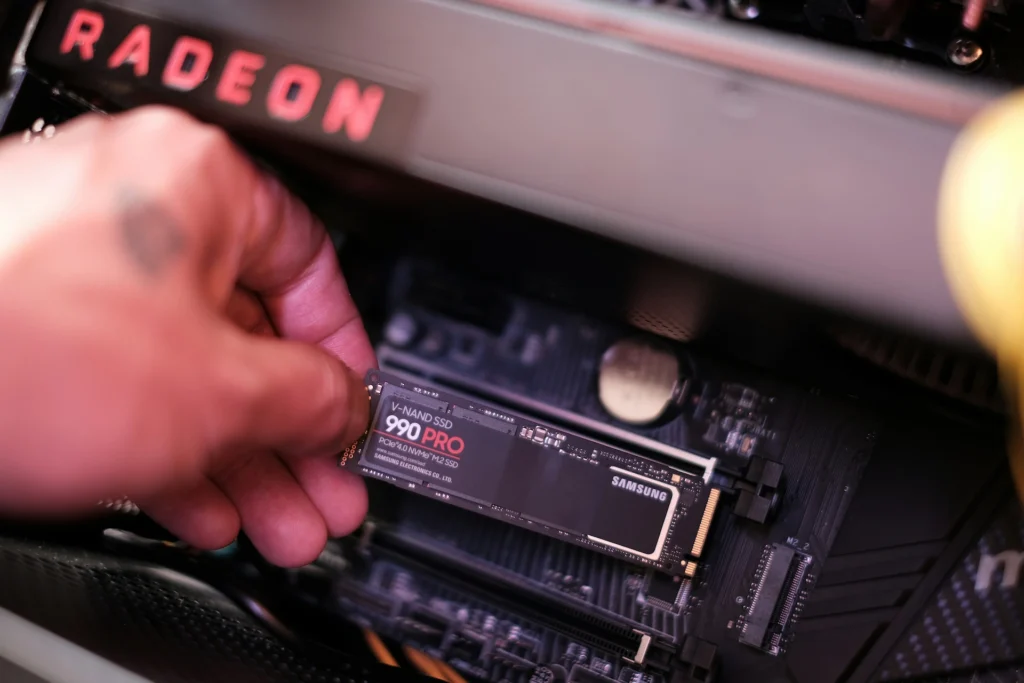
- Hardware replacements & upgrades (SSD installs, RAM upgrades, power supplies, fans).
- Overheating and thermal issues (dust buildup, fan failures, airflow problems).
- Data safety checks and recovery options (when drives are failing or the device won’t boot).
The Most Common Repairs We See
1) Slow Computer
Slow performance is often caused by one of three things: (1) the storage drive is nearly full or failing, (2) too many background programs are running, or (3) the device is still on an older mechanical hard drive instead of an SSD. A good tune‑up plus a storage upgrade can make an older computer feel brand new.
If you want a safe DIY baseline, Microsoft’s guide is a solid checklist: Tips to improve PC performance in Windows. For Macs, Apple’s guidance is here: If your Mac runs slowly.
2) Not Powering On
Power issues range from simple (bad charger, loose power connection) to hardware failures (battery, power supply, board-level problems). If a device is repeatedly failing to start, avoid cycling power over and over—especially if you suspect storage failure—because repeated attempts can worsen data loss risk.
3) Overheating and Load Fans
Overheating usually comes down to airflow: dust buildup, fan failure, or dried thermal paste. You might notice the system throttling (everything slows down), the fans running constantly, or the computer shutting off under load.
4) Blue Screens and Boot Errors
These symptoms can be caused by driver conflicts, failing storage, memory problems, or OS corruption. A proper diagnostic isolates whether you’re dealing with software repair (reinstall/repair OS) or hardware replacement (SSD/RAM).
5) Water Resistance Myths
Water resistance is not the same as waterproofing. Seals degrade over time, and cold can make adhesives and gaskets less forgiving. Snow, slush, and wet pockets still create real risk.
Apple’s notes on water and dust resistance: About splash, water, and dust resistance of iPhone.
6) Storage and Performance Upgrades
If your computer is otherwise in good condition, an SSD upgrade and a memory boost are two of the highest-ROI improvements you can make. For many users, this avoids the cost and hassle of buying a new machine—and you keep your familiar setup.
Timelines: What "Same-Day" Really Means
Every shop is different, but turnaround is usually driven by two factors: (1) the root cause (software vs hardware), and (2) parts availability. Starting your repair ticket online can reduce check‑in time and helps the team match parts to your exact model.
Common turnaround scenarios:
- Diagnostics: often same day (or within 24 hours).
- Tune‑ups/malware cleanup: commonly same day for many devices.
- SSD/RAM/power supply/fan replacements: often 1–3 days depending on parts.
- Complex issues (data recovery, intermittent failures): timeline varies—ask for an estimate after diagnostics.
FAQs for Fredericksburg Computer Repair
Do you offer same‑day computer repair?
Many common issues can be handled the same day, especially tune‑ups, upgrades, and straightforward hardware replacements. Timing depends on workload, diagnostics, and parts availability.
Do I need an appointment?
Walk‑ins are often welcome, but starting your ticket online can speed up check‑in and help ensure parts match your exact device.
Can you help with Mac and Windows computers?
Yes—Computer Cave works with both. The diagnostic step determines whether it’s a software fix, an upgrade, or a hardware repair.
Will my data be safe during repair?
Whenever possible, we recommend backing up your data before repair. If your computer won’t boot, ask about recovery options during intake.
What warranty do repairs include?
Computer Cave provides a limited warranty on repairs—see the Warranty page for full terms and exclusions.
Ready to Fix It?
If you’re dealing with a slow computer, boot problems, or a device that won’t turn on, the fastest next step is to start your repair online—then bring it by the Fredericksburg (Central Park) location when you’re ready.