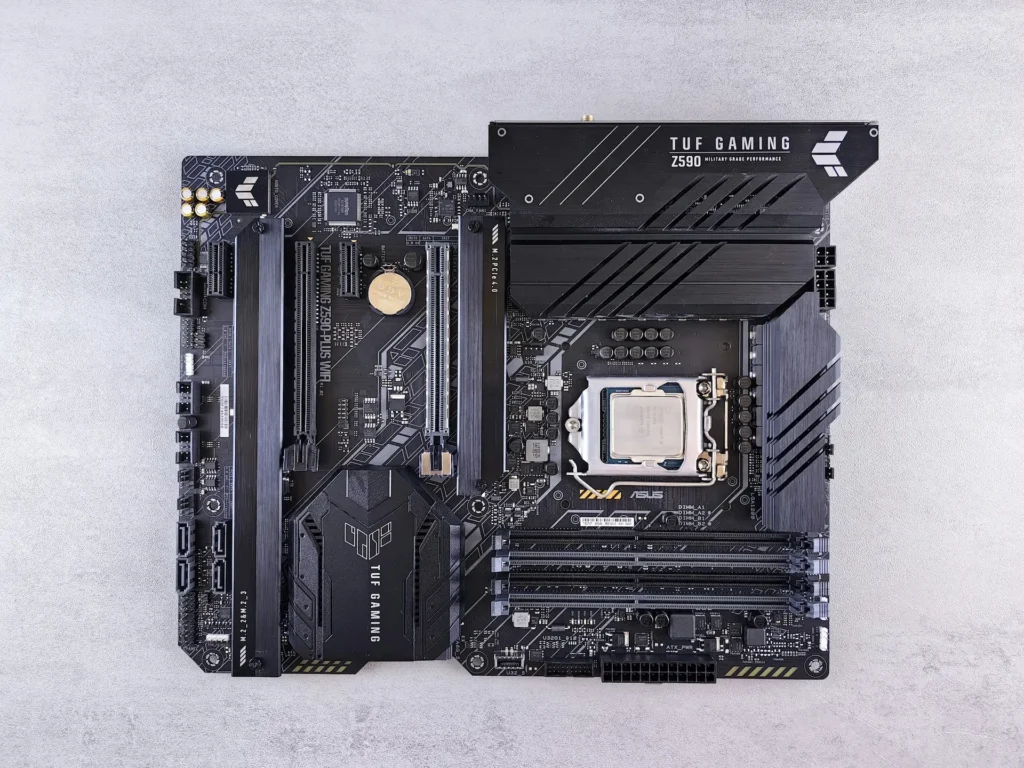
A motherboard fault is usually the point where a repair shop stops talking and tells you to buy a new machine. It is also where the price jumps, which is exactly why you deserve a straight answer about what can actually be fixed before you spend anything. Some board faults are a twenty minute job. Some are a single component swapped under a microscope. And some really are the end of the machine, in which case the only thing that matters is getting your files off it safely.
START HERE · WHAT THE SYMPTOM USUALLY MEANS
- No light, no fan, nothing at all when you press the button. Power delivery on the board, and that is one of the more fixable faults.
- It powers on, fans spin, screen stays black. Often the graphics side or the display circuit rather than the whole board.
- It got wet and kept working for a while afterwards. Corrosion, and that one is a clock rather than a coin flip.
- Random shutdowns under load, or a smell of burning. Stop using it and unplug it now.
⚠ Whatever the symptom, if the files on it matter, say so before anything is opened. That changes the order we work in.
What Board-Level Repair Actually Means
Most shops offer board replacement. You bring in a laptop, they source a whole new logic board, and they fit it. That is a real service and sometimes it is the right one, but it is not board-level repair and the price difference between the two is the whole reason this page exists.
Board-level repair means fixing the board itself. A charging circuit that has failed. A power rail shorted by one component. A lifted pad, a broken trace, a cracked solder joint under a chip. The work happens under a microscope with hot air, a bench supply and the schematic for that specific board, and what comes out is your original board rather than a replacement.
The reason it matters more on modern machines than it used to is that the board now carries almost everything. On a lot of current laptops the processor is soldered to it, the memory is soldered to it, and increasingly the storage is too. So “you need a new motherboard” quietly means “you need a new processor, new memory and possibly a new drive”, which is most of what the computer cost in the first place. Fixing one failed component on the board you already own is a different proposition entirely.
Liquid Damage, and Why the Clock Matters More Than the Spill
Liquid is the most common board fault we see and the most misunderstood. The damage is not really the water. It is the corrosion that starts the moment the liquid touches a powered board and does not stop when the machine dries out.
This is why a laptop that took a spill and then worked fine for two weeks is not a laptop that got away with it. It is a laptop where the corrosion has had two weeks. The faults that show up later, a keyboard row that dies, a port that stops charging, a machine that boots one morning in four, are usually that same spill arriving late.
What a proper liquid job involves is opening the machine, assessing which areas the liquid actually reached, cleaning the board rather than just drying it, replacing whatever has corroded past saving, and then testing it under load rather than just checking that it switches on. Skip the cleaning step and you have a machine that works today and fails again in a month.
⚠ THE MISTAKE WE SEE MOST
Switching it on to see if it still works. Every attempt pushes current through corroded traces and turns a cleaning job into a component job. If liquid has been anywhere near it, hold the power button until it is fully off, unplug it, and leave it off until someone has looked inside. Rice does nothing for this, and the day you spend waiting on the rice is a day the corrosion is working.
No Power at All: What Gets Checked, and in What Order
A machine that shows no sign of life is the fault people assume is terminal and it is often the one with the best outcome. There is a sequence to it, and a shop that skips to the end of the sequence is guessing.
- The charger and the port. A surprising share of no-power laptops are a failed adapter or a cracked solder joint where the charge port meets the board, and that joint is a repair rather than a replacement.
- The battery and the charging circuit. A board that will not charge very often will not start either, and the two faults look identical from the outside.
- The power rails, measured one at a time against the schematic for that board. This is the step that tells you whether anything is reaching the processor at all.
- The short. If one component is pulling a rail down, that component is the repair. Finding it is the skill, replacing it usually is not.
Diagnosis is where the honesty in this trade lives. Any shop can tell you a board is dead. Fewer can tell you which part of it, and that is the difference between a quote you can make a decision on and a shrug with a price attached. You can start a quote online or read what a computer repair covers before you bring it in.

Skip the DIY with Computer Cave!
GPU Faults, Artefacts and the Reflow Question
Graphics faults have a look of their own. Coloured speckling or geometric patterns across the screen, lines that appear under load and vanish on the desktop, crashes that only happen in games or in video editing, or fans running at full speed against a black screen while the machine is clearly awake.
On a desktop with a separate graphics card this is usually good news, because the card comes out and a known-good one goes in and you have your answer in ten minutes. We wrote about the wider version of that here: why desktop performance problems usually mean repair rather than replacement.
On a laptop the graphics processor is part of the board, so the same symptom becomes board work. You will see reflow offered for this, which means heating the chip until the existing solder melts and hoping the failed joint reforms. It sometimes brings a machine back for a few weeks. It is not a repair and anyone selling it as a permanent fix is not being straight with you. Reballing, where the solder is actually replaced, is real work with a real chance of holding, and replacing the chip is the durable answer where the part exists. Ask which of the three is being quoted, because they are three different jobs at three different prices.
What Board Repair Costs Against the Alternatives
Nobody can price board work off a description. The whole point of the diagnosis is that the fault could be a solder joint or it could be a failed processor, and those are not close to each other. Before you spend anything, understand the three roads in front of you.
What happens
What you keep
Turnaround
When it makes sense
New Board
Board Repair
The figure worth asking for is not the repair price on its own. It is the repair price next to what the machine is worth today. That is the same half rule we use on phones, and it settles most of these conversations in about a minute.
What We Will Tell You Not to Fix
A board-level shop that says yes to everything is not doing you a favour. Four situations where the answer here is usually no.
- Burn damage across several layers of the board with lifted pads around it. Once the copper underneath has gone, there is nothing to solder to.
- A machine already past software support. A board repair that buys you eighteen months on an operating system that stops getting security updates in six is not a good trade.
- A board replacement priced anywhere near a current machine. That is not a repair decision any more, it is a purchase decision.
- Liquid damage for the second time on the same machine. The first spill leaves the board weaker than it looks, and the second one usually finds what the first one started.
None of that means the machine is worthless. A dead laptop still has parts, and we buy machines in any condition, including ones that do not power on. The buyback quote takes a few questions, and selling a computer across Richmond, Fredericksburg and Charlottesville covers what the process looks like.
Your Files Come First, Before Any Board Work Starts
If the drive is a separate component, and on most machines more than a few years old it still is, your files are not really part of this decision. The drive comes out, the files come off, and you have them whether the board lives or not. Say so at drop-off and it happens before anything else.
Where it gets serious is the machines with storage soldered to the board, because then the files and the fault are in the same place and the order of operations really matters. If that is your machine, tell us the files matter before the board is powered again. We wrote up the wider question of when to hand recovery to a professional here: professional versus DIY data recovery, and the service itself is data backup and recovery.
Under a microscope
DIAGNOSIS
Before opening
THE QUOTE
You still have options
NOT FIXABLE

Your old device is worth cash - get paid same day!
Instant quote · +10% as trade-in credit · In store or by mail